Cazeus is built mobile-first. Every game, every bonus, every tool in your account - accessible from any smartphone or tablet in seconds, no app store visit required.

Most online casinos approach mobile as an afterthought - a shrunken version of the desktop site that technically functions on a phone but never feels built for one. Cazeus was designed in reverse: the mobile experience was specified first, and the desktop layout was built to extend it, not the other way around. The result is a casino that feels native on a smartphone without requiring you to install anything.
The technical approach is a fully responsive progressive web application. Your browser - Safari on iOS, Chrome or Firefox on Android - handles everything. The site detects your screen size and orientation automatically, adjusts the layout, scales the game interface to fit without dead space and prioritises touch-friendly tap targets over mouse-precision UI elements. There is no Flash dependency, no Java plug-in and no runtime requirement beyond a modern browser and a stable internet connection.
Performance was a specific design priority. Page load times on a 4G connection average under three seconds for the lobby. Individual game loads take between two and five seconds depending on the complexity of the title. The live casino section streams video at adaptive bitrate, maintaining a stable feed on connections as slow as 3 Mbps and delivering full HD at 15 Mbps and above.
Cazeus works on every iPhone model currently supported by Apple - that is every device running iOS 15 or later. Safari is the recommended browser on iOS because it accesses the full hardware acceleration available to WebKit, resulting in smoother animations and faster game loads than third-party browsers on the same device.
The iOS experience at Cazeus covers the full feature set:
Known limitations on iOS: Apple's WebKit policy means certain audio behaviours differ slightly from Android - specifically, game audio will not auto-play until you interact with the page. This is a browser-level restriction, not a Cazeus-specific issue. All games include a manual audio toggle.
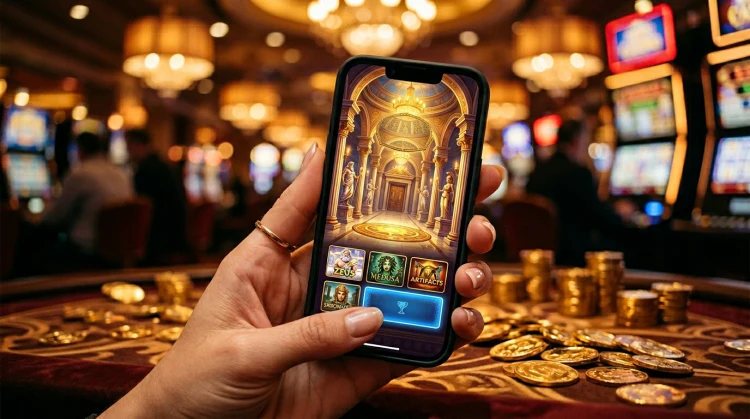
Android users get the same complete experience as iOS players, with a few platform-specific advantages. Chrome on Android supports a wider range of progressive web app features, including background notifications without the Add to Home Screen step, direct access to the device's Vibrate API for haptic feedback during game events and more granular camera access for document uploads during identity verification.
Cazeus has been tested and confirmed working on all major Android device manufacturers: Samsung, Google Pixel, OnePlus, Sony and Xiaomi at screen sizes from 4.7 to 7.6 inches. The layout adapts correctly across all tested configurations. For foldable devices - specifically the Samsung Galaxy Z Fold series - the layout adjusts correctly in both folded and unfolded states, presenting a two-column lobby view when the full screen width is available.
Google Pay is supported on Android in the same way Apple Pay is on iOS - a single-tap deposit method that retrieves your saved card from the Google Wallet app, confirmed with your fingerprint or PIN, crediting instantly with no additional form to complete.
While Cazeus does not require an installation, you can create a home screen shortcut that closely replicates the feel of a native app. The shortcut launches the casino in a standalone window - without the browser address bar, navigation buttons or tab strip - giving you a clean, distraction-free gambling environment that looks indistinguishable from an installed app.
On iPhone (Safari):
On Android (Chrome):
The home screen version of Cazeus supports the same notifications as the full browser - you will receive alerts for bonus activations, withdrawal confirmations and promotional drops without needing to open the browser manually.
All games in the Cazeus library are served as HTML5 titles, which is the current industry standard and the only format that works natively across all modern mobile browsers without additional software. HTML5 games are delivered to your device as lightweight JavaScript applications - they load fast, scale correctly and behave identically whether you are playing on a phone, a tablet or a desktop screen.
| Game Type | Mobile Performance | Portrait Mode | Landscape Mode | Touch Optimised |
|---|---|---|---|---|
| Video Slots | Excellent | Full layout | Expanded reels | Yes |
| Classic Slots | Excellent | Full layout | Full layout | Yes |
| Live Roulette | Very Good | Compact betting UI | Full table view | Yes |
| Live Blackjack | Very Good | Adapted hand UI | Full dealer view | Yes |
| Game Shows | Good | Horizontal recommended | Optimal | Yes |
| Jackpot Slots | Excellent | Full layout | Expanded | Yes |
Auto-spin is available on all slots in the mobile version and works identically to desktop - set your spin count, loss limit per auto-spin sequence and a stop-win trigger if desired. The controls are sized for thumb interaction and do not require the precision of a mouse cursor.
Every payment method available on desktop is available on mobile. The deposit flow on mobile has been optimised to reduce the number of taps required: saved payment details are retrieved automatically from your account, and one-tap options (Apple Pay, Google Pay) are surfaced at the top of the payment method list for users on compatible devices.
Withdrawal requests on mobile go through the same review and processing flow as desktop. There is no difference in processing time between mobile and desktop withdrawal requests. The withdrawal status tracker in your account dashboard updates in real time and is accessible from the mobile layout without needing to navigate away from the game you are playing.
Identity verification documents - for first withdrawal or periodic re-verification - can be submitted directly from your phone's camera through the account verification section. The upload flow accepts JPEG and PDF formats and processes documents through the same automated verification system as desktop uploads.
| Feature | Mobile Browser | Desktop Browser |
|---|---|---|
| Full game library | ✓ | ✓ |
| Live casino | ✓ | ✓ |
| Deposits & withdrawals | ✓ | ✓ |
| Bonus activation | ✓ | ✓ |
| Responsible gaming tools | ✓ | ✓ |
| Live chat support | ✓ | ✓ |
| Apple Pay / Google Pay | ✓ (device-dependent) | Partial |
| Biometric login | ✓ (device-dependent) | ✗ |
| Home screen shortcut | ✓ | ✗ |
| Push notifications | ✓ (Add to Home Screen) | Browser-dependent |
A few simple adjustments make a meaningful difference to how Cazeus performs on mobile:
⚡ Play Anywhere, Any Time
No download, no waiting, no app store. Tap Register, make your first deposit with Apple Pay or Google Pay and start playing under the thunder of Olympus in seconds.
18+ only • UK players • T&Cs apply • Play responsibly
No. Cazeus is a fully responsive browser-based casino. Open your mobile browser, navigate to the site and you have instant access to the entire game library, account management, deposits and withdrawals - all without downloading anything from an app store.
Yes. Cazeus works on all current iPhone models running iOS 15 or later via Safari or Chrome. Apple Pay is supported for one-tap deposits and Face ID can be used for biometric login after your first password entry.
Yes. On Safari tap Share → Add to Home Screen. On Chrome tap the three-dot menu → Add to Home Screen. The shortcut launches Cazeus in a clean full-screen view without browser navigation bars - the nearest experience to a native app without any download.
No. Every bonus, promotion and VIP benefit available on desktop is equally accessible from mobile. Your account is the same regardless of which device you use - there is no separate mobile bonus programme.
Live casino games at Cazeus are optimised for mobile browsers with portrait orientation on smaller handsets. The video stream quality adjusts automatically to your connection speed - on 4G or Wi-Fi the experience is comparable to desktop. Adaptive bitrate mode maintains stability on slower connections.